
Search through our Miscellaneous Reports for extras, such as:
- Absent without schedule: This report will generate absences when an employee does not clock in or out for the day. It does not require schedules to determine if the employee was absent.
- Missing Punch: Generates users that have a missing punch, or more than one missing punch, in the pay period. (Refer to Figure 1 below.)
- Breaks Taken: A report of employees that have take the break.
- Non Breaks Taken: A report of employees that have not taken their break.
- Breaks Taken Detailed: A detailed report of employees that have taken the break.
- No Lunch Taken: A list of employees who have not taken their lunch. (Refer to Figure 2 below.)
- Manual Punches: Punches that have been added to the pay period by Administrators and/or Managers.
- Daily Attendance: This report will generate the attendance status of all employees on a daily basis. If Present the system will generate the first punch of the day in the report. If Absent due to a lack of time, the system will show the user as absent. If there is Paid Time Off that is being taken, the system will display the type of leave on that day.
- Geo Punches: A report generating the time logs and addresses of each entry per user.
- Questionnaire: This report will generate each question, along with all of the users that answered it and their answers.
Figure 1: Missing Punch Report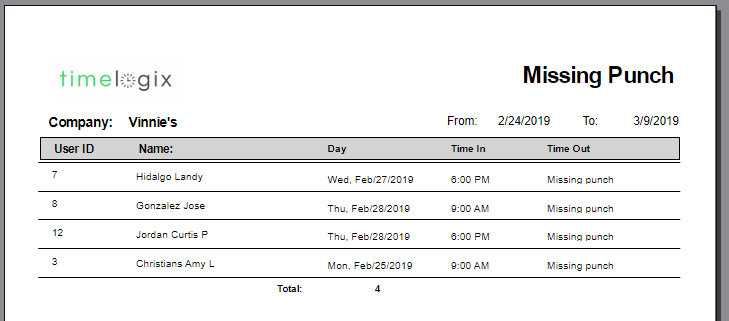
Figure 2: No Lunch Taken Report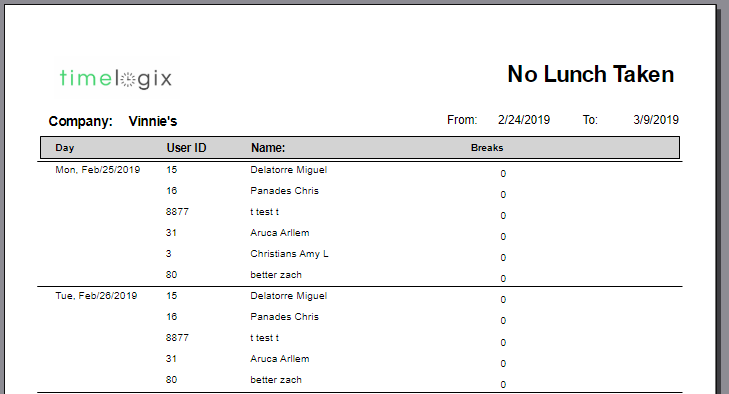
Comments
0 comments
Please sign in to leave a comment.