
Privileges can be created to restrict access to Administrators and/or Managers. You can give different users, different privileges, or access to different parts of the software, as opposed to giving them full access. Create as many Privilege groups as you need!
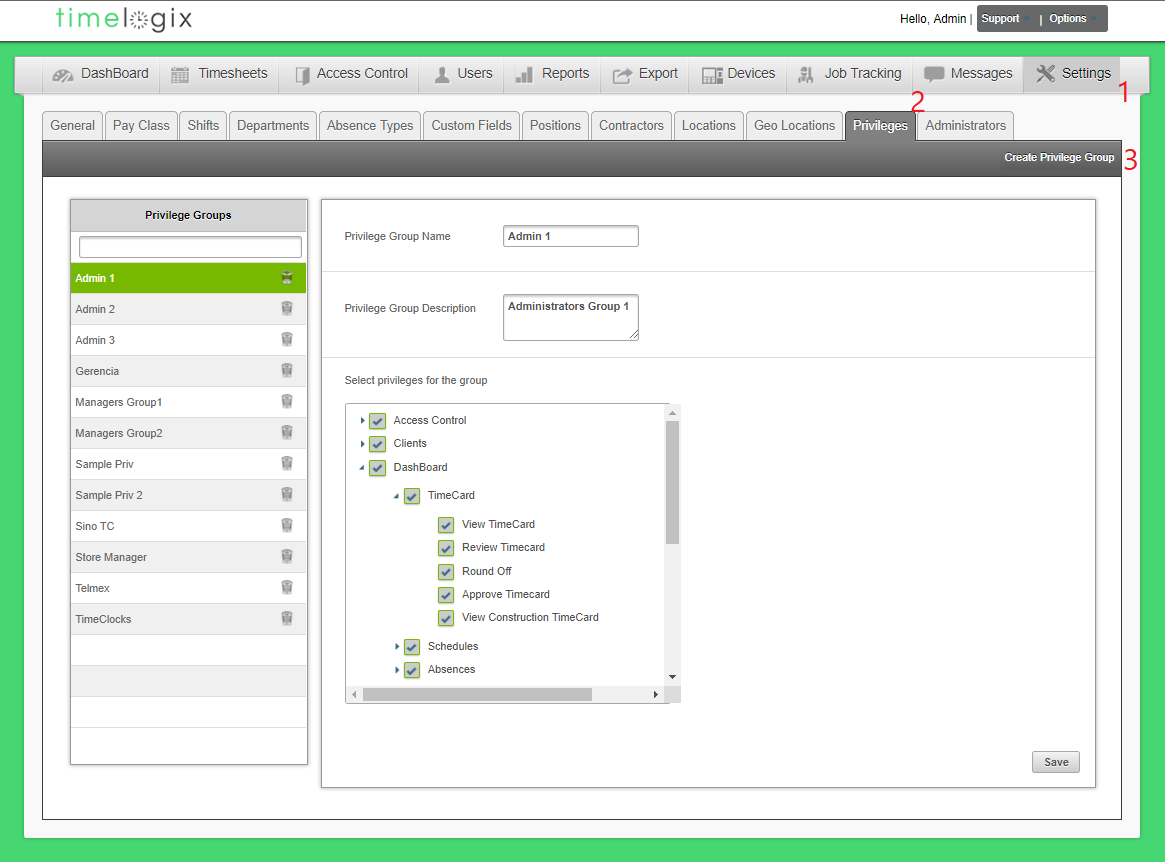
To create a Privilege Group, navigate to:
- Settings
- Privilege
- Create Privilege Group
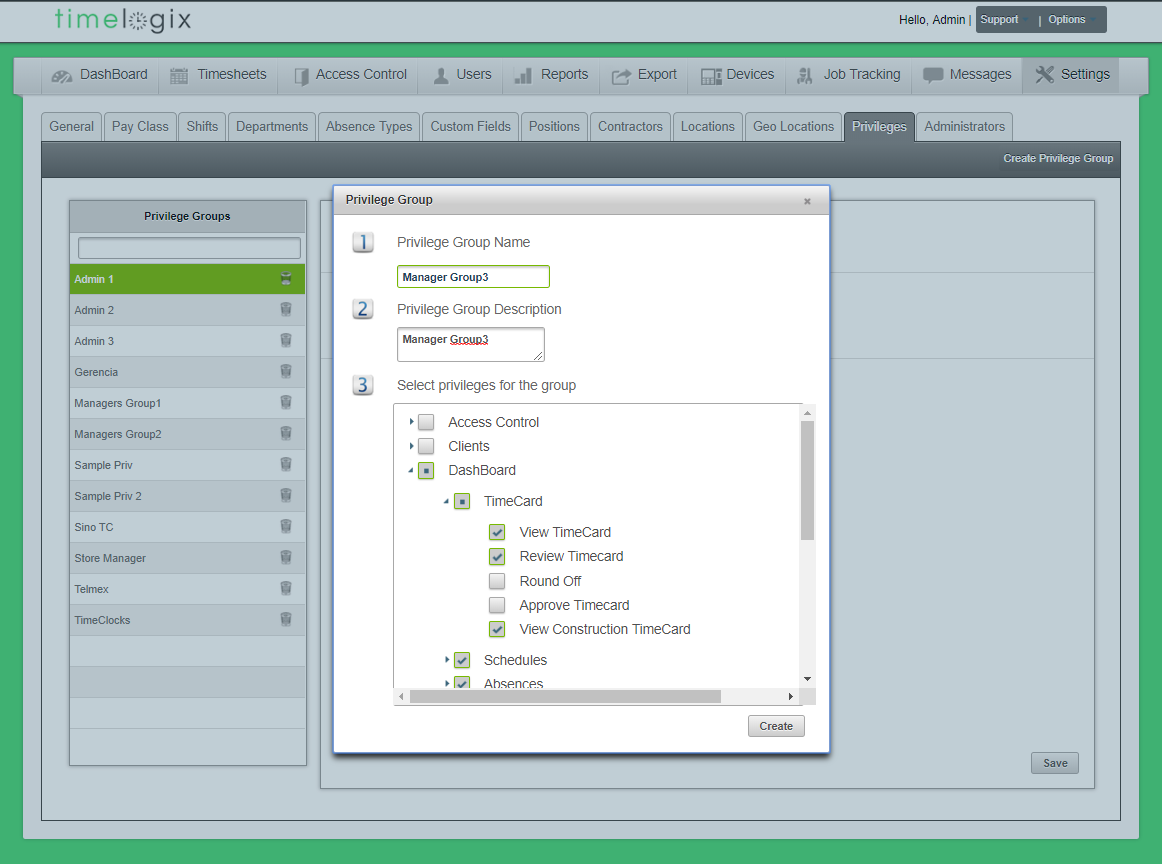
When creating a Privilege group, the following window will appear:
- Privilege Group Name
- Privilege Group Description
- Select privileges for the group
- Each main tab is a separate section within the Privilege group. Open the drop-down lists to restrict specific parts of any tab.
Comments
0 comments
Please sign in to leave a comment.